Building Executables from Graiphic Toolkits with Builder Tool
This guide demonstrates how to create executables (2nd method – Builder tool) from HAIBAL Deep Learning, TIGR Vision, and PERRINE Tensor Processing toolkits in LabVIEW.
Install the Builder add-on from GIM.
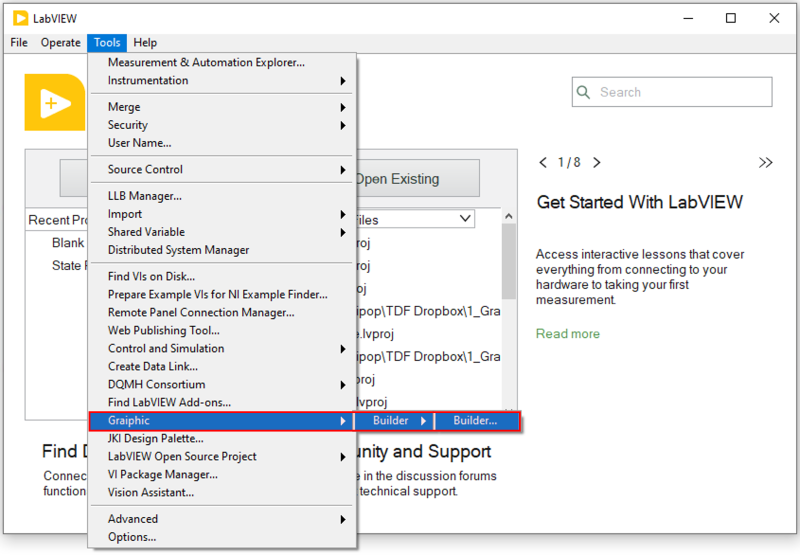
In LabVIEW, in the tools menu, launch the Builder.
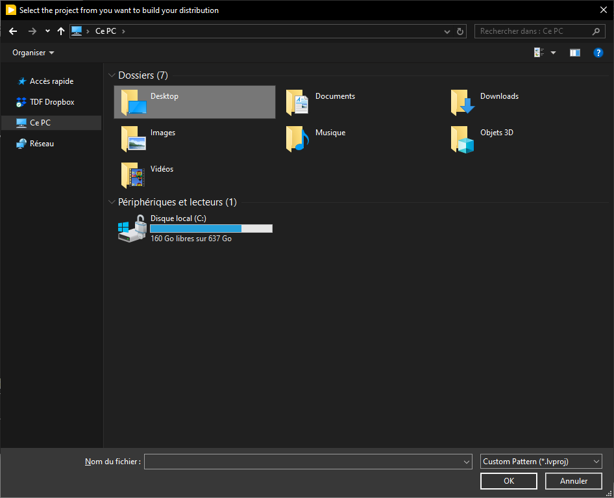
When you launch the program, a window will open. Select the project you want to build on.
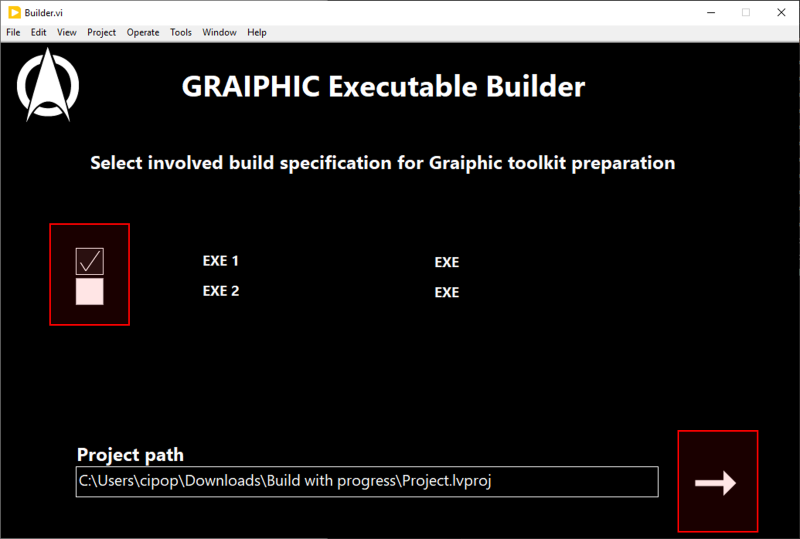
Select the Builds to be performed.
Click on the arrow to start building.
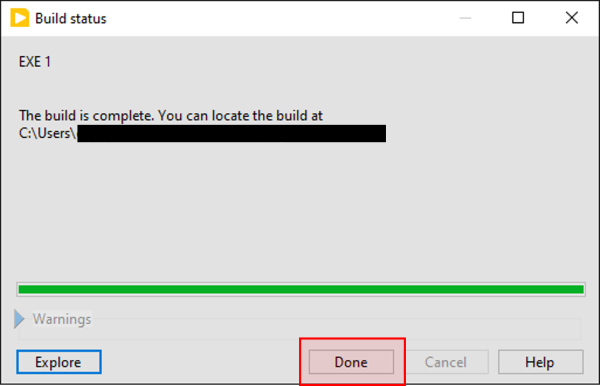
The construction window opens, wait until construction is complete before continuing.
Cliquez sur “Done“.
Run the build and wait for the front panel to appear, which will allow you to retrieve the DLLs used by the GRAIPHIC toolkit.
On the first page, select the toolkit(s) present in your executable.
On the second page, select the hardware(s) compatible with the toolkit(s) in your executable.